Example Insulin Math Constants Screen

Use Insulin Math Constants to enter the values GlucoGlance uses for insulin, carbohydrate, and correction calculations.
The first four sections can contain one or more time segments so different values can be used throughout the day.
Time Segments
Each row represents a time range and the value used during that period.
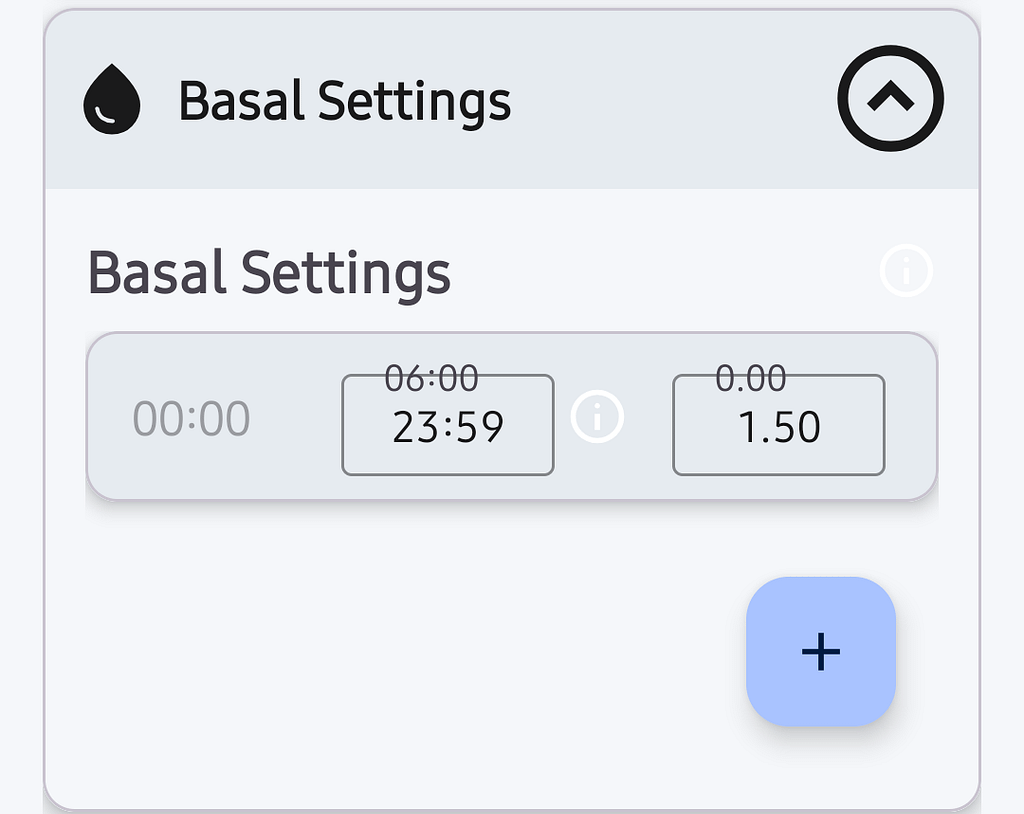
The end time of one segment automatically becomes the start time of the next segment. This provides continuous coverage throughout the day without gaps or overlaps.
To add a new time segment, first change the ending time of the current segment, then tap the plus button.
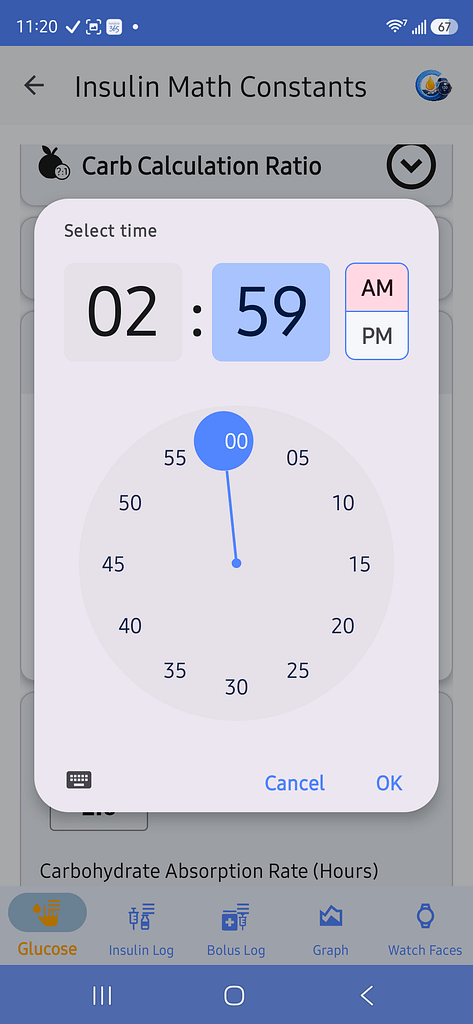
Tap the plus button to add another time segment.
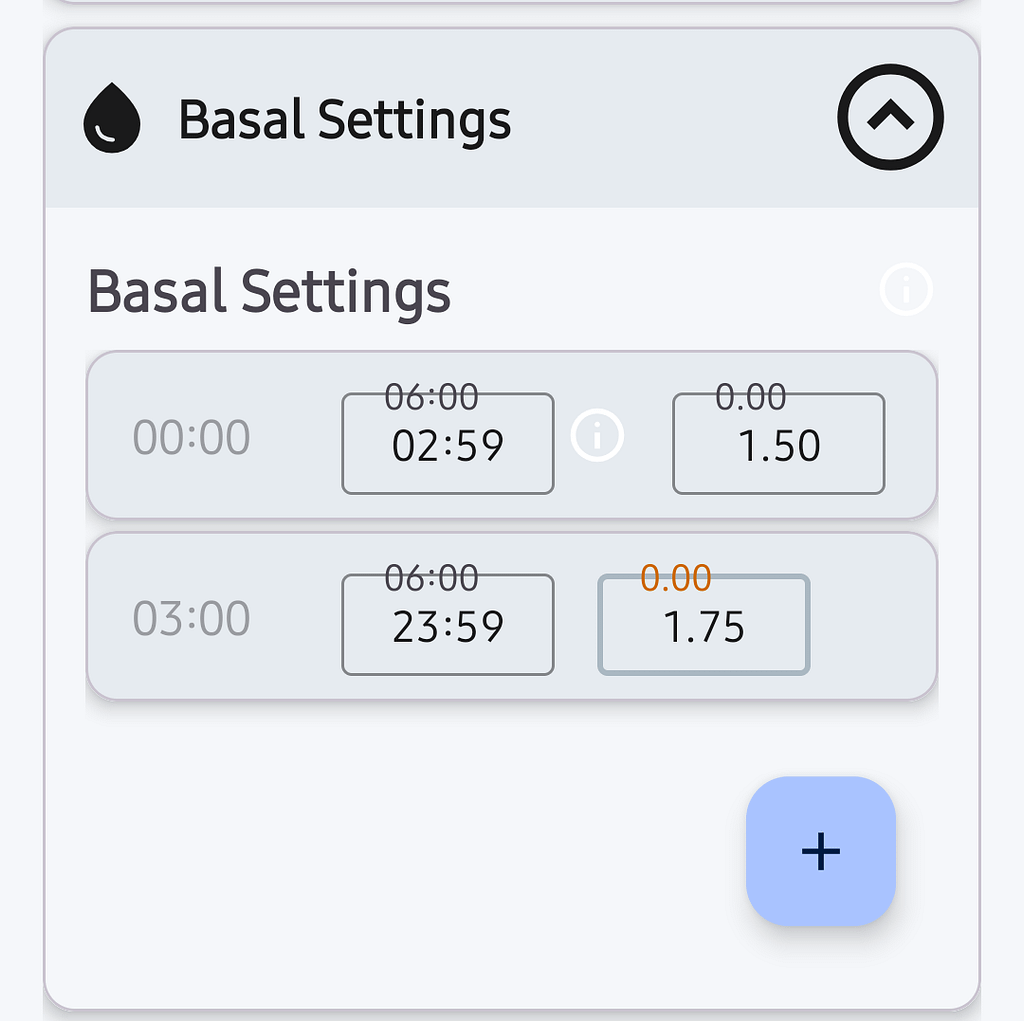
Repeat as necessary for any additional segments.
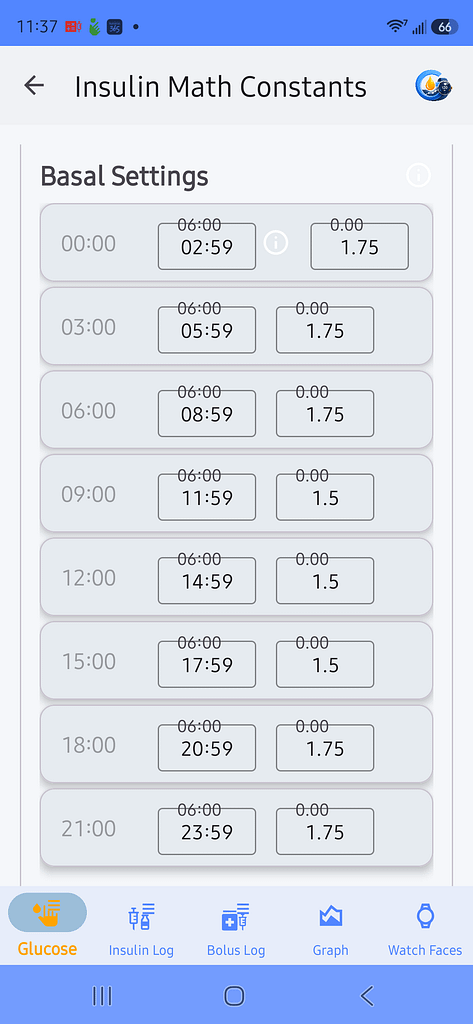
Tap the information icon within a row for an explanation of how the time segments work.
Delete a Time Segment
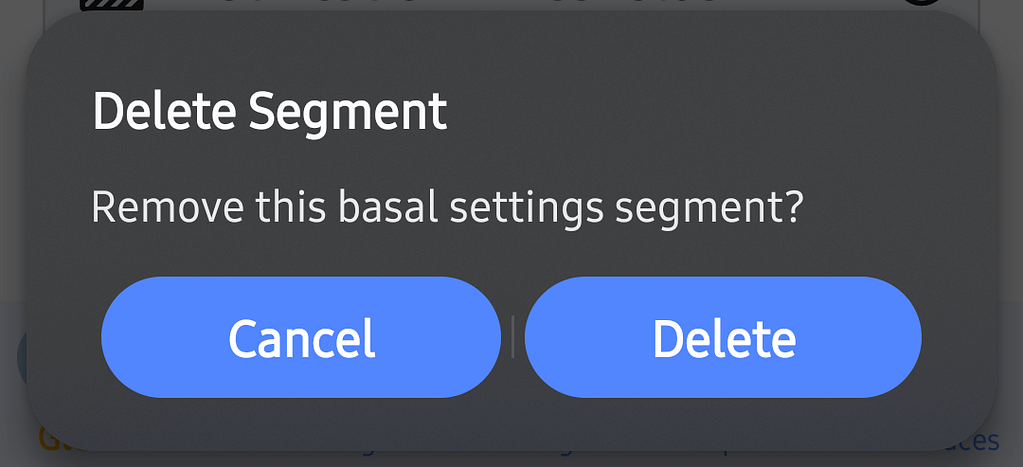
To delete an existing time segment, press and hold the segment.
When the confirmation window appears, tap Delete.
Glucose Reference Setpoint
The Glucose Reference Setpoint is the target glucose used by GlucoGlance when calculating:
- Correction insulin
- Excess insulin
- Carbohydrate recommendations
It does not change the target glucose used by your insulin pump or CGM.
The minimum allowed reference setpoint is:
- 90 mg/dL
- 5.0 mmol/L
Carb Calculation Ratio
The Carb Calculation Ratio, also called the Insulin-to-Carbohydrate Ratio, defines how many grams of carbohydrate are covered by one unit of insulin.
For example, a ratio of 10 means one unit of insulin covers approximately 10 grams of carbohydrates.
Different ratios can be entered for different times of the day.
Carb Factor
The Carb Factor, also called the Correction Factor or Insulin Sensitivity Factor, estimates how much one unit of insulin lowers your glucose.
GlucoGlance uses this value when calculating correction insulin and excess insulin recommendations.
Different correction factors can be entered for different times of the day.
Basal Settings
Basal Settings define your scheduled background insulin delivery throughout the day.
Users of manual pump therapy may have multiple basal time segments.
Automated insulin delivery systems may use little or no scheduled basal profile.
Notification Thresholds
These settings control when GlucoGlance calculates or displays certain insulin and carbohydrate notifications.
Insulin Decay Rate
Enter the number of hours GlucoGlance uses when estimating how long insulin remains active.
Carbohydrate Absorption Rate
Enter the number of hours GlucoGlance uses when estimating carbohydrate absorption.
Excess Carbs Trigger Point
Enter the insulin-unit threshold used before an excess carbohydrate recommendation is generated.
Excess Insulin Trigger Point
Enter the carbohydrate threshold used before an excess insulin recommendation is generated.
Insulin Pod/Pump Life
Select the expected life of the insulin pod or pump site.
Available choices include:
- 24 hours
- 36 hours
- 48 hours
- 60 hours
- 72 hours
- 80 hours
- Custom
Choose Custom to enter a different number of hours.