GlucoGlance receives glucose data from Glucose Data Handler through its Glucodata broadcast.
Configure GlucoDataHandler
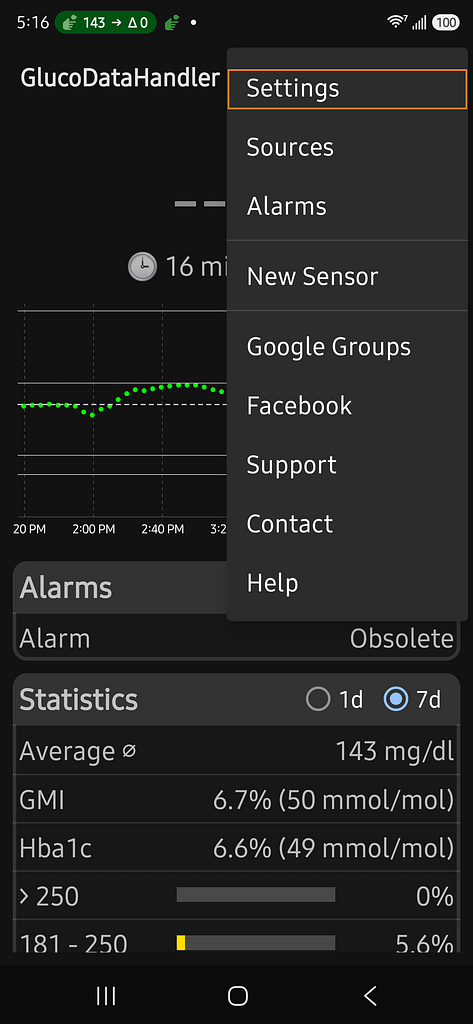
- Open GlucoDataHandler
- Tap the kebab menu (3 dots top right)
- Tap Settings
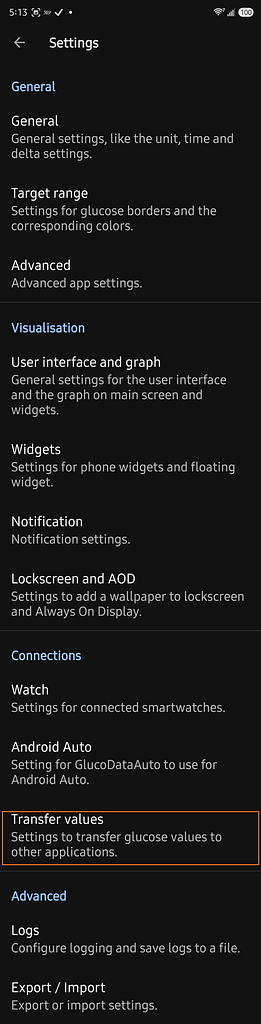
4. Tap Transfer values
4. Tap Local Applications (Slider must be on)
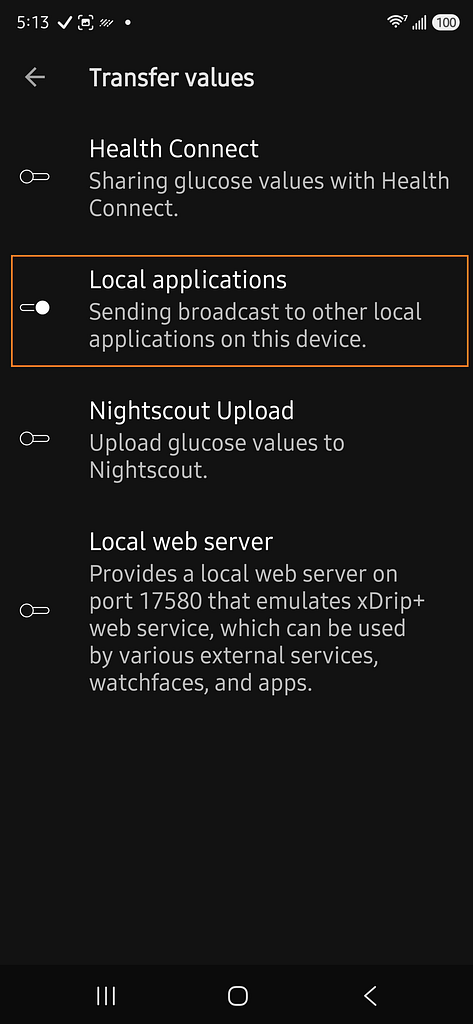
5. Enable Send glucodata broadcast.
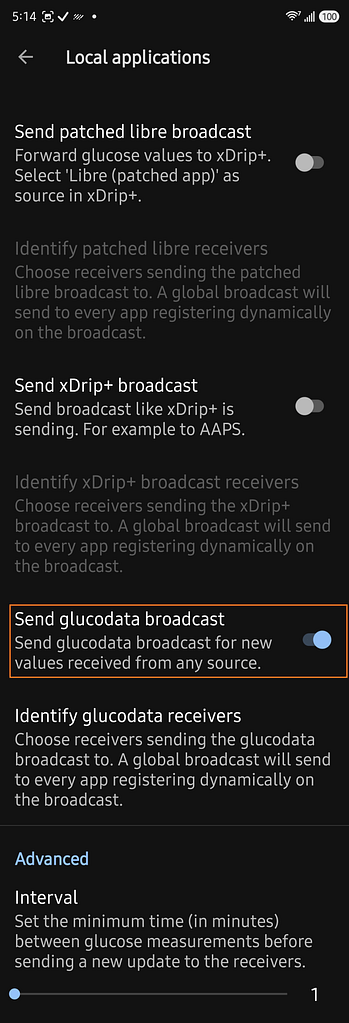
Leave the other broadcast options unchanged unless another application specifically requires them.
Select GlucoDataHandler in GlucoGlance
- Open GlucoGlance.
- Open Settings.
- Open Source Apps.
- Select Glucose Data Handler.
Current glucose readings should begin appearing after Glucose Data Handler sends its next reading.
Important
A supported manufacturer CGM app must not be installed on the same device when Glucose Data Handler is being used as the GlucoGlance source.