New to Predictive Modeling?
Learn how Predictive Modeling works in GlucoGlance
Advanced
This controls how strongly different factors influence the predictive model:
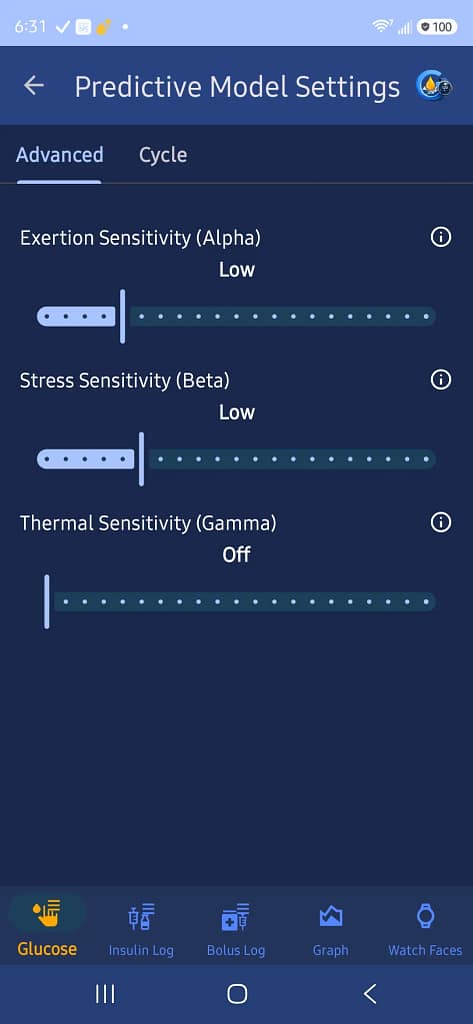
Exertion Sensitivity (Alpha)
Controls how strongly physical exertion influences the predictive model. The user can select the appropriate sensitivity level.
Stress Sensitivity (Beta)
Controls how strongly detected physiological stress influences the predictive model.
Thermal Sensitivity (Gamma)
Controls how strongly temperature-related conditions influence the predictive model. This can also be turned Off.
The information buttons beside these settings can handle the immediate in-app explanation, while the website can explain what Alpha, Beta, and Gamma actually mean in more detail.
Cycle
This is specifically for Rapid Cycle Shift.
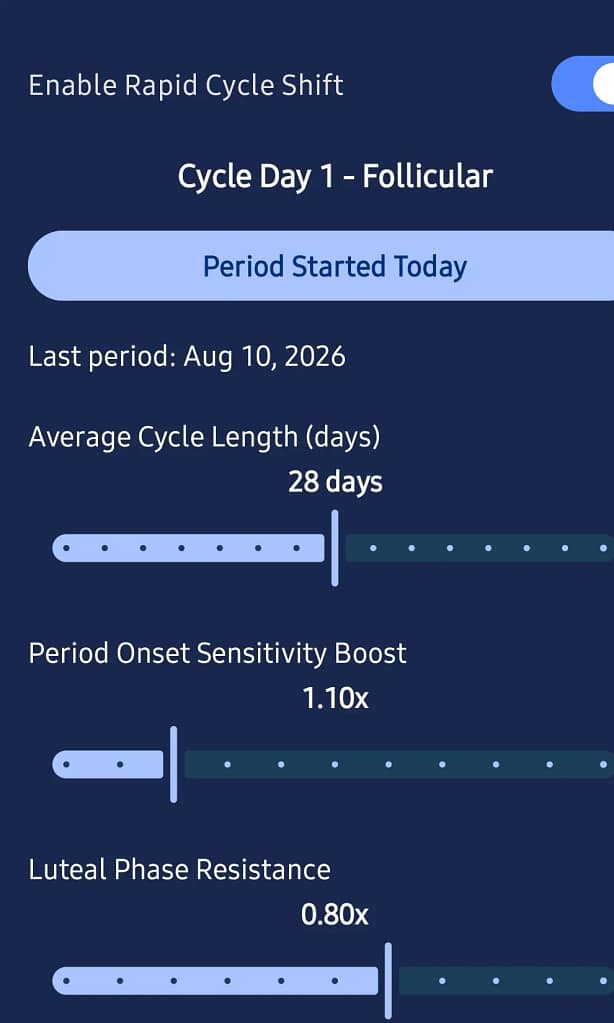
The user can:
Enable Rapid Cycle Shift
Turns menstrual-cycle tracking and its effect on the predictive model on or off.
Period Started Today
Records the beginning of the current menstrual cycle. GlucoGlance then has an actual cycle reference point rather than relying only on an estimated schedule.
Cycle Status
Shows whether cycle tracking has been established and the current status.
Last Period
Shows the last recorded period start.
Average Cycle Length
Allows the user to set their typical cycle length, with 28 days shown as the current/default value.
Period Onset Sensitivity Boost
Sets how much stronger insulin acts the day your period starts. Default 1.10x, adjustable if your own pattern differs.
Luteal Phase Resistance
Sets how much weaker insulin acts during the second half of your cycle. Default 0.80x, adjustable if your own pattern differs.
These default values (1.10x and 0.80x) aren’t clinical standards, they’re adjustable starting points. Everyone’s pattern is different, tune them to match your own experience.