GlucoGlance receives glucose data from Juggluco through the Glucodata broadcast.
Configure Juggluco
1. Open Juggluco.
2. Tap the upper-left quadrant of the screen to open Settings.
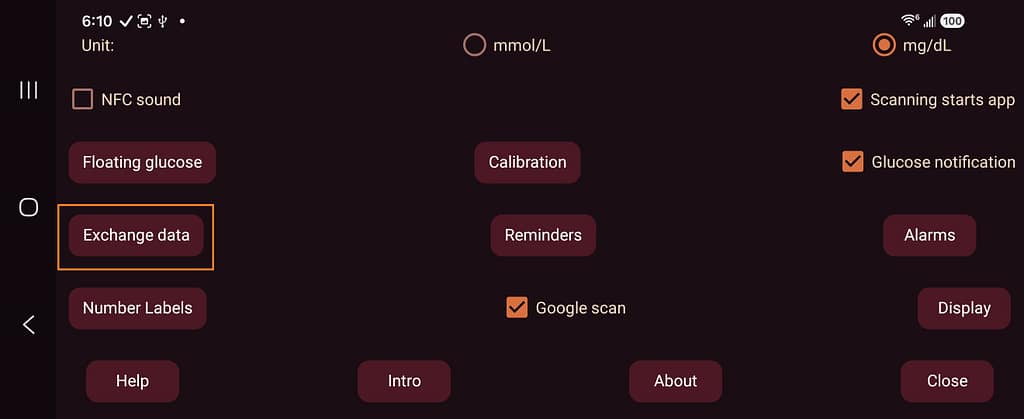
3. Tap Exchange data.
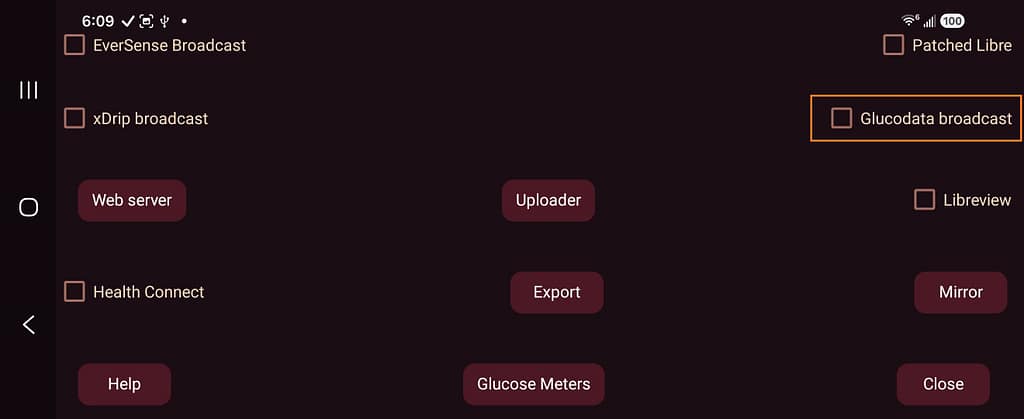
4. Tap Glucodata broadcast
5. Select com.glucoglance.app.
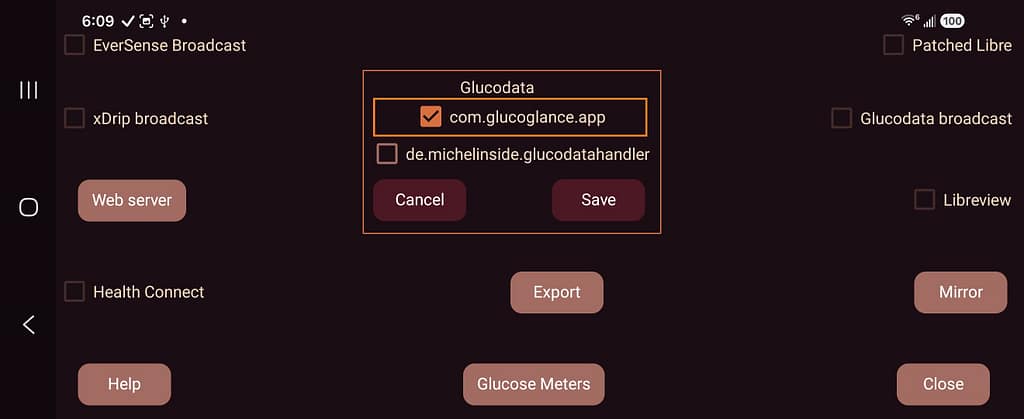
6. Tap Close
Select Juggluco in GlucoGlance
- Open GlucoGlance.
- Open Settings.
- Open Source Apps.
- Select Juggluco.
Current glucose readings should begin appearing after Juggluco sends its next reading.
Important
A supported manufacturer CGM app must not be installed on the same device when Juggluco is being used as the GlucoGlance source.