
On some Samsung Galaxy phones, Android’s individual Notification categories controls are hidden by default. If you do not see Notification categories when following the GlucoGlance notification instructions, enable them first:
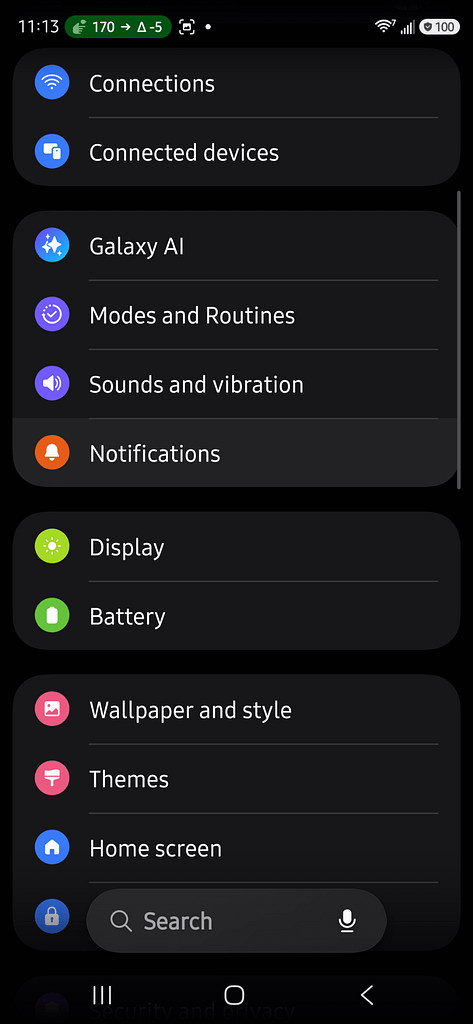
1. Open Settings on your Samsung phone.
2. Select Notifications.
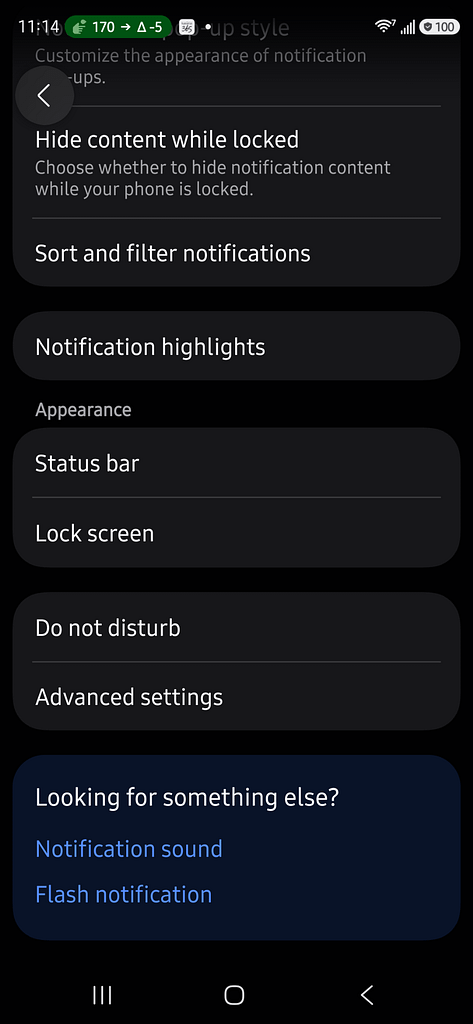
3. Select Advanced settings.
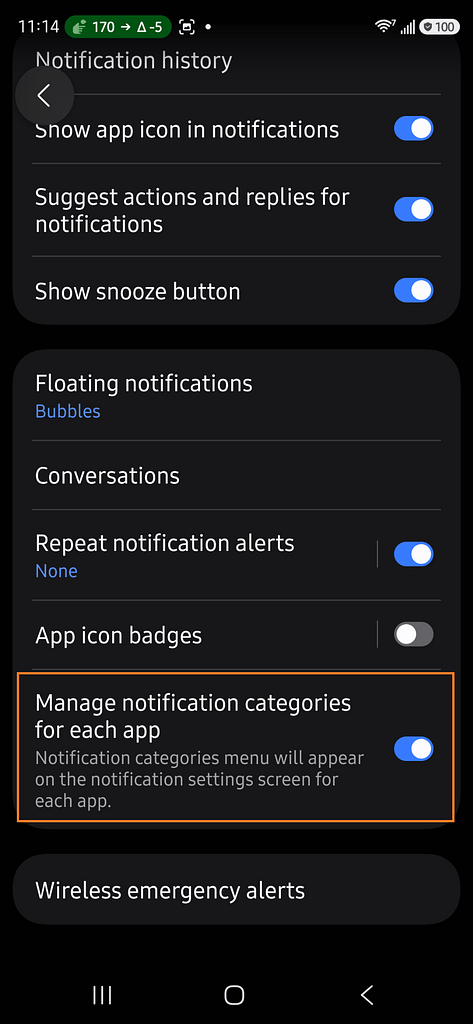
4. Turn ON Manage notification categories for each app.
You can now return to:
Settings → Apps → GlucoGlance → Notifications
The Notification categories option should now appear at the bottom of the screen. Select it to access the individual GlucoGlance notification categories and their sound settings.
This is a Samsung system setting. Turning it on does not enable or disable any GlucoGlance notifications; it simply gives you access to Android’s individual notification-category controls.