Example Data Archive / Cleanup Screen
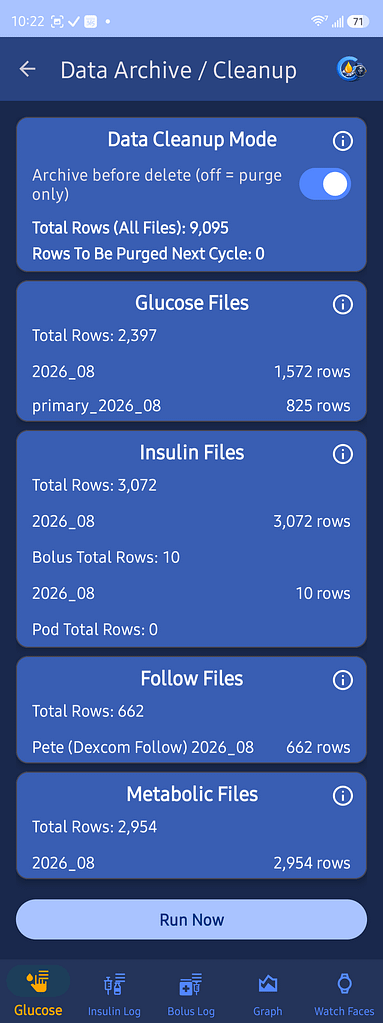
Data Archive / Cleanup manages GlucoGlance’s Automatic Export and Deletion process.
This process runs automatically on the first day of each month and sends a notification when complete.
Data Cleanup Mode
Archive Before Delete
When enabled, GlucoGlance archives eligible data before deleting it.
When disabled, eligible data is permanently deleted without first being archived.
Data Summary
This screen shows:
- Total rows stored across all files
- Rows scheduled for cleanup during the next cycle
- Monthly file names
- Row counts for each file
Glucose Files
Shows stored glucose data and the number of rows in each monthly file.
Insulin Files
Shows stored insulin, bolus, and pod data.
Follow Files
Shows stored glucose data for configured Follow users.
Metabolic Files
Shows stored health and metabolic data collected from supported watches and rings.
Automatic Monthly Cleanup
On the first day of each month, GlucoGlance:
- Reviews the stored data.
- Archives eligible data when Archive Before Delete is enabled.
- Deletes data that has reached the cleanup limit.
- Sends a notification when the process is complete.
The Run Now button shown during development will not appear in the public release.