ANDROID TV · GOOGLE TV · FIRE TV
GlucoGlanceTV
Your GlucoGlance readings on your TV, on top of whatever you are watching.
What you see
Glance box over your show
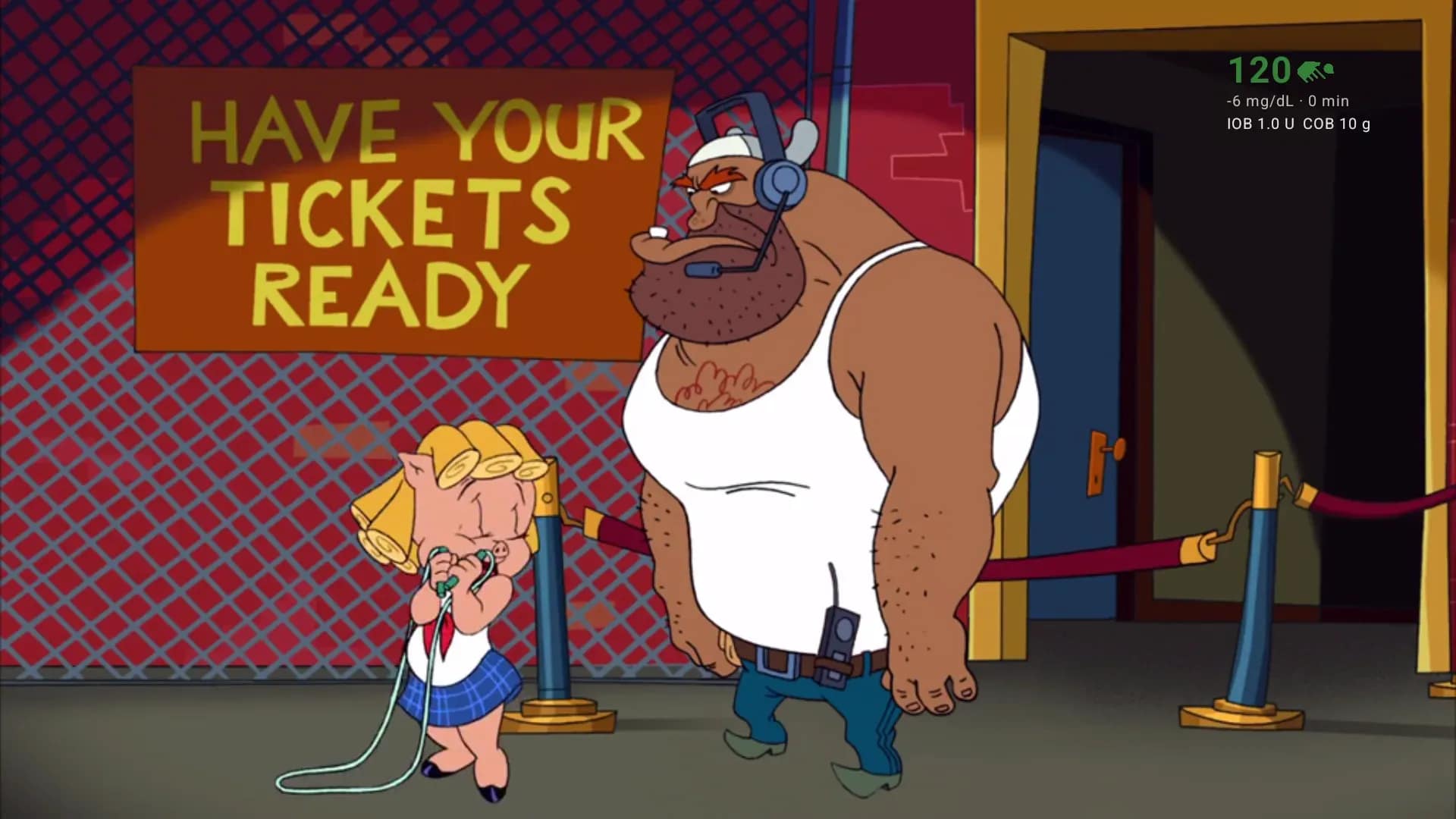
A small glance box sits on top of whatever is playing.
TV app screen
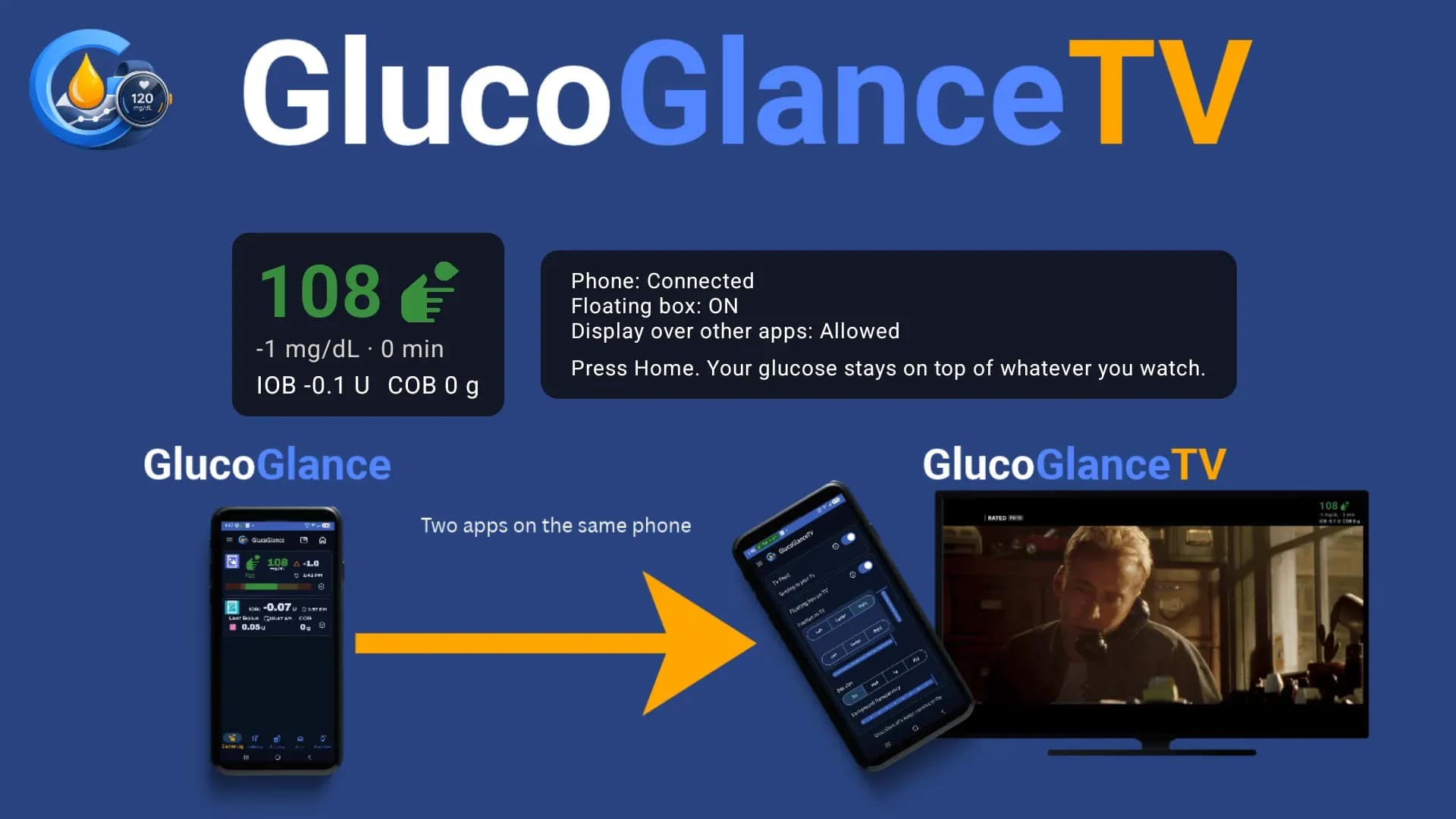
Your readings full screen, over a set of changing background images, like a screen saver.
Disconnected
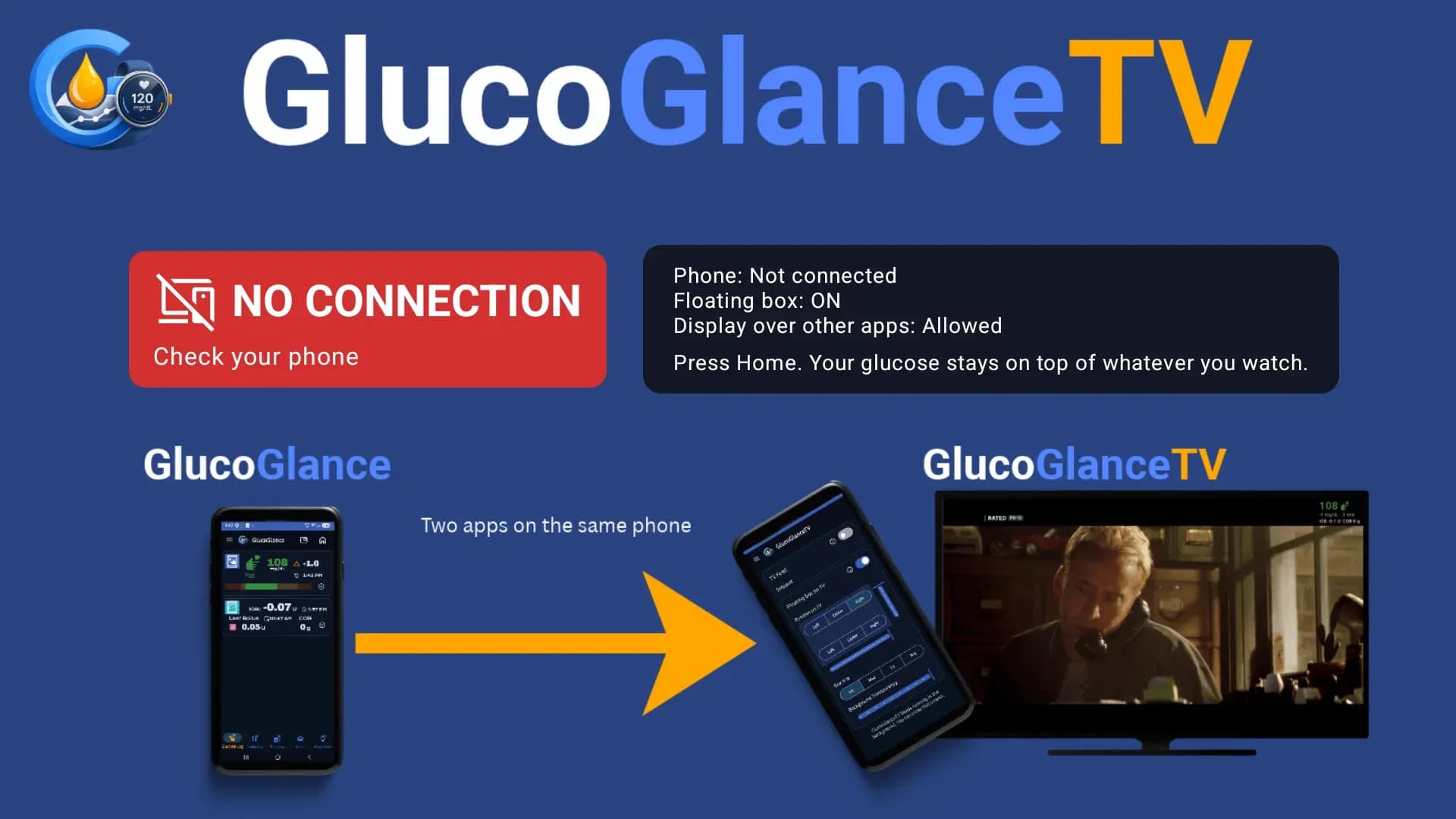
If the phone and TV lose their connection, the TV shows Disconnected instead of old readings.
Phone app
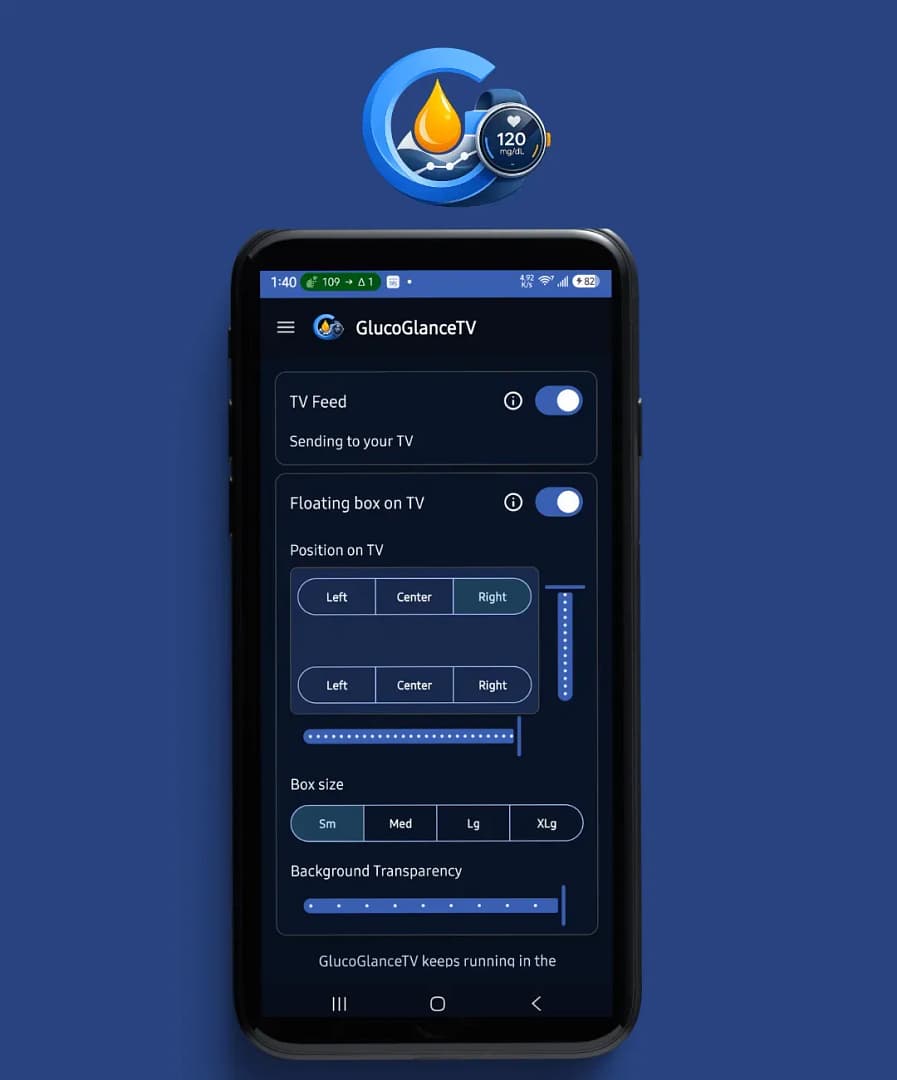
One screen: place the glance box at the top or bottom of the TV screen, on the left, centre or right, and set how see-through its background is.
How it works
GlucoGlance sends its readings to GlucoGlanceTV on your phone. Your phone passes them to your TV over your home Wi-Fi.
- No internet or cloud needed.
- No pairing code to type on the TV.
- Your phone and TV just need to be on the same home Wi-Fi.
- All settings are on the phone. The TV only displays.
GlucoGlanceTV needs GlucoGlance installed and running on the same phone. It gets all its data from GlucoGlance.
Install on your TV
- Fire TV Stick and Fire TV Cube: install with the Downloader app using code 7573262. Step-by-step setup.
- Android TV and Google TV are also supported.
Good to know
- Demo Mode in the phone menu shows sample data without GlucoGlance.
GlucoGlanceTV is for quick glances only; check your CGM or pump app before making any treatment decision.