Notification Settings are divided into five tabs:
- Persistent
- Live
- Insulin
- Voice
- Global
Persistent Notifications
Persistent notifications remain in the notification shade and display current glucose information.
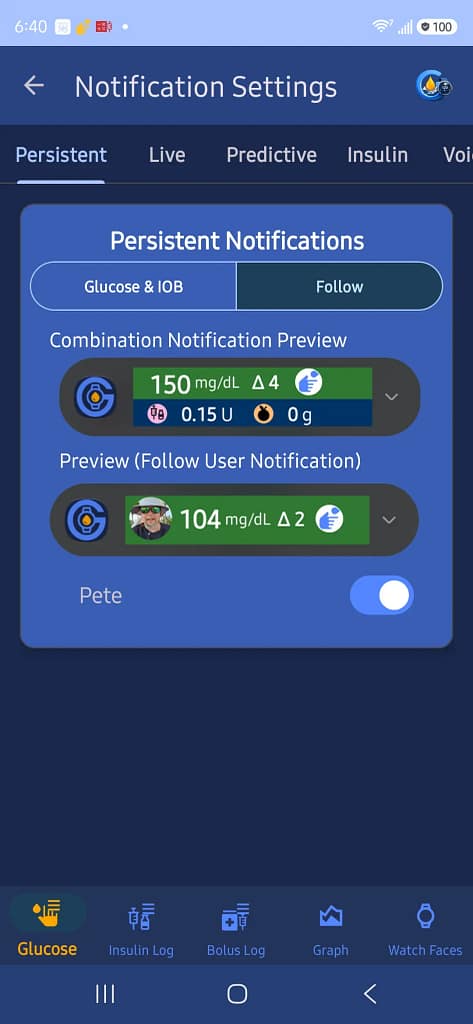
Choose which persistent notification is used:
- Glucose and IOB
- Follow
The preview shows how each notification will appear.
Live Notifications
Live notifications provide an expanded notification with current glucose information and playback controls.
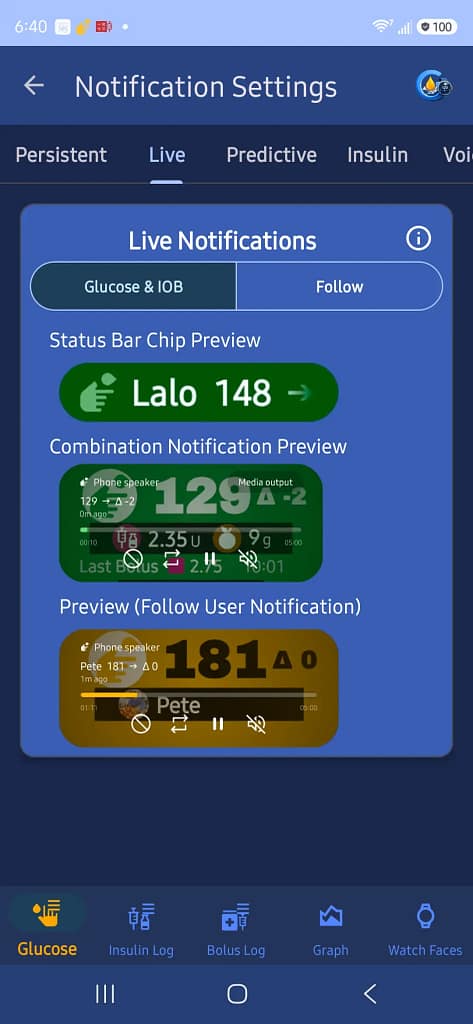
Choose which live notification is used:
- Glucose and IOB
- Follow
This tab also shows previews of:
- Status bar chip
- Combination notification
- Follow user notification
Predictive Notifications
The Predictive tab provides three optional notifications that alert you to developing glucose conditions.
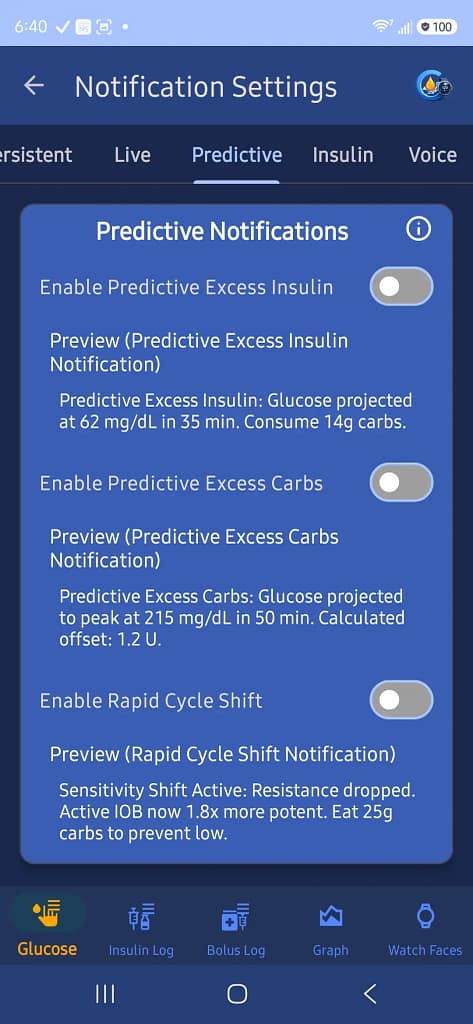
- Predictive Excess Insulin: Alerts when GlucoGlance projects that active insulin may cause your glucose to fall too low.
- Predictive Excess Carbs: Alerts when GlucoGlance projects that glucose may rise above your target range.
- Rapid Cycle Shift: Alerts when GlucoGlance detects a significant change in insulin sensitivity that may change the effect of your active insulin.
Each notification can be turned on or off independently. The examples displayed on the Predictive tab show the type of information each notification will provide.
Insulin Notifications
Use this tab to enable or disable insulin-related notifications.
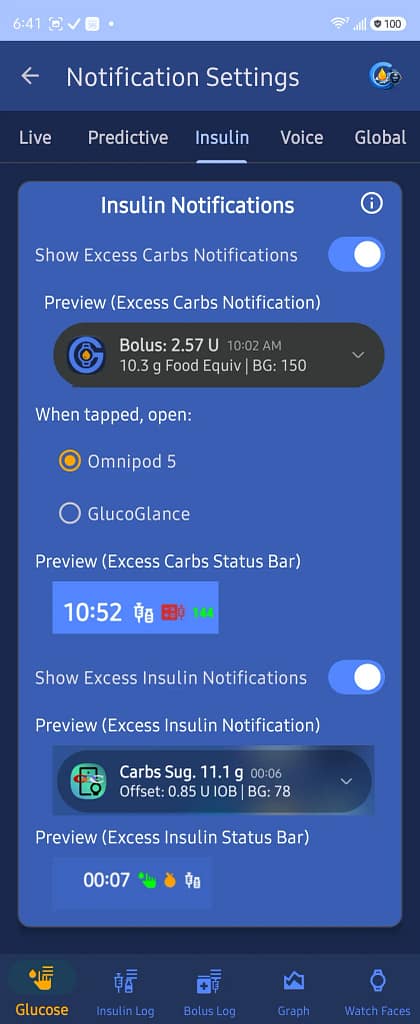
Excess Carbs Notifications
Turn this on to receive a notification when GlucoGlance calculates that additional carbohydrates may be needed.
Choose which app opens when the notification is tapped:
- Insulin pump app
- GlucoGlance
Excess Insulin Notifications
Turn this on to receive a notification when GlucoGlance calculates that excess insulin may be active.
The previews show how both notifications and their status bar icons will appear.
Only one excess notification is displayed at a time.
Voice Alerts
Turn on Enable Voice Notifications to allow GlucoGlance to speak glucose and insulin information.
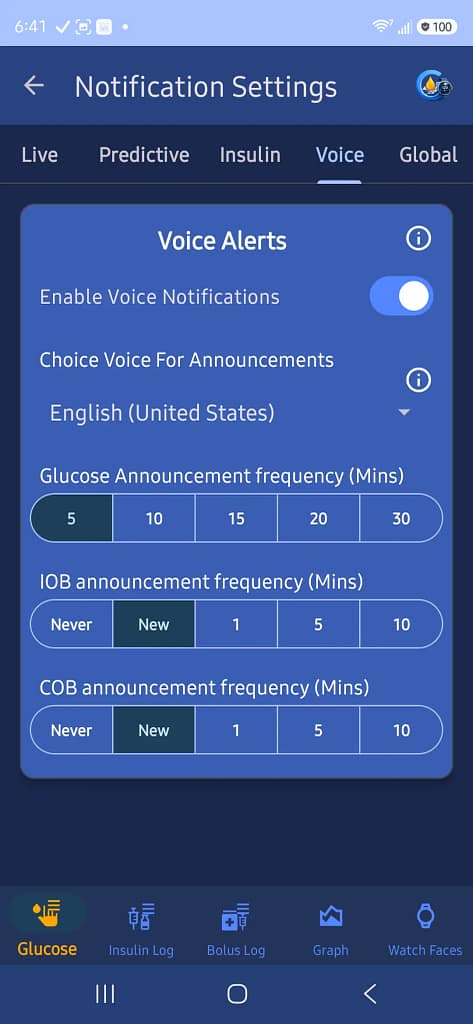
Voice Selection
Choose the installed system voice used for announcements.
Glucose Announcement Frequency
Choose how often glucose is announced:
- 5 minutes
- 10 minutes
- 15 minutes
- 20 minutes
- 30 minutes
IOB Announcement Frequency
Choose when Insulin on Board is announced:
- Never
- When the value changes
- Every 1 minute
- Every 5 minutes
- Every 10 minutes
COB Announcement Frequency
Choose when Carbohydrates on Board are announced:
- Never
- When the value changes
- Every 1 minute
- Every 5 minutes
- Every 10 minutes
Global Notification Behavior
When enabled, GlucoGlance manages its own notification behavior instead of relying only on Android notification channel settings.
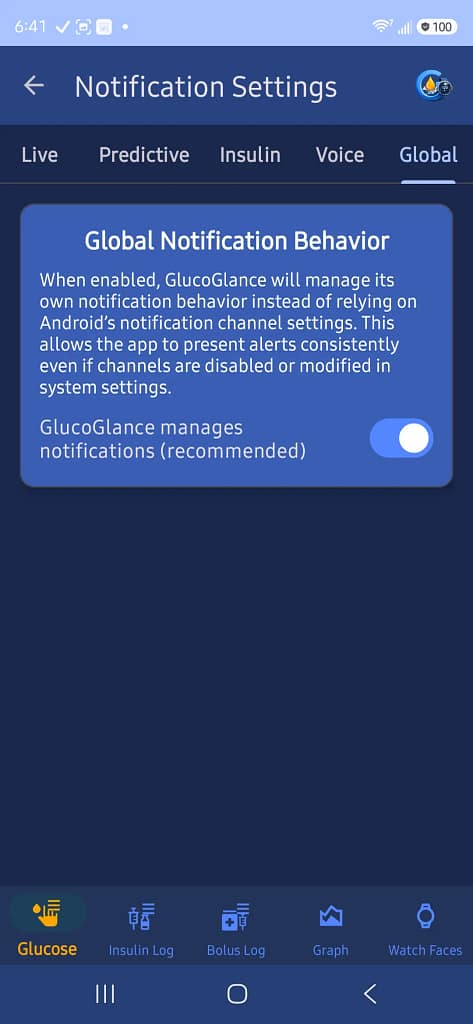
This is the recommended setting and allows GlucoGlance notifications to operate consistently if Android notification channels are changed or disabled.