How GlucoGlance Selects a Glucose Data Source
GlucoGlance is designed as an extension of the glucose data provided by your manufacturer, companion, or follow app.
During onboarding, GlucoGlance detects supported glucose apps installed on the device and determines which apps can be offered as selectable data sources.
Manufacturer Apps Have Priority
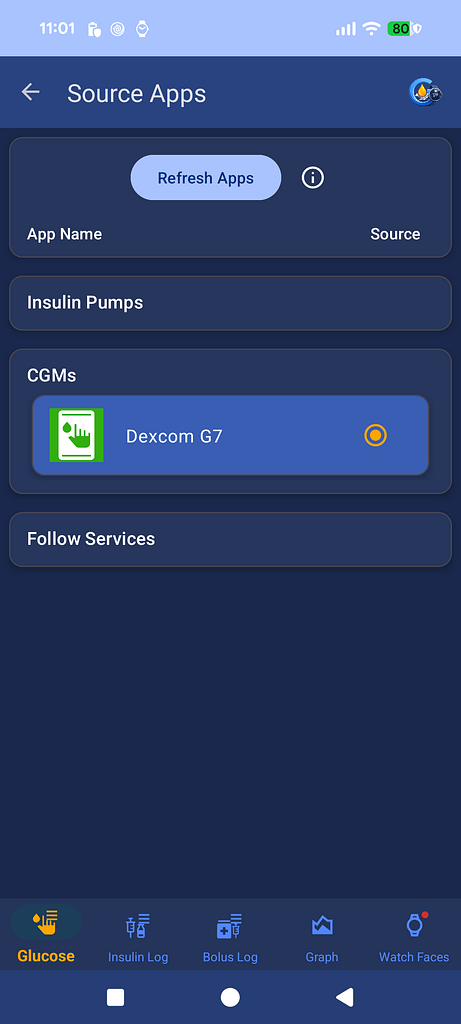
When a supported manufacturer CGM app is installed, GlucoGlance normally gives that app priority as the phone owner’s glucose source.
Examples of manufacturer apps include:
Dexcom G6
Dexcom G7
Eversense
FreeStyle Libre
For most manufacturer CGM apps, supported Companion Apps are not offered as alternative glucose sources while the manufacturer app is installed.
FreeStyle Libre is the exception.
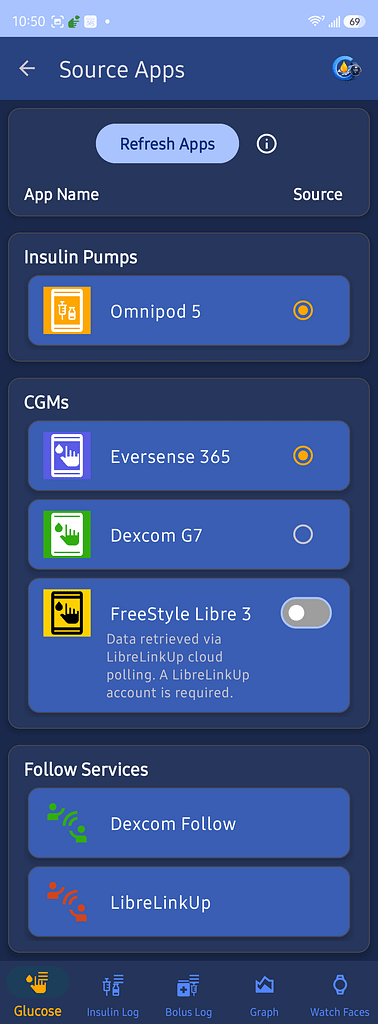
GlucoGlance retrieves Libre 2 and Libre 3 glucose data through LibreLinkUp cloud polling using your LibreLinkUp account.
Because Libre cloud access depends on an internet connection and the LibreLinkUp service, supported Companion Apps remain available as alternative glucose sources for Libre users.
This allows the user to choose between LibreLinkUp cloud data and a supported local Companion App.
Why Manufacturer Apps Are Prioritized
GlucoGlance is designed to use data from the manufacturer’s app whenever that is the preferred supported source.
For most CGM systems, this means the manufacturer app takes priority over supported Companion Apps.
FreeStyle Libre is handled differently. GlucoGlance retrieves Libre glucose data through LibreLinkUp cloud polling, so supported Companion Apps remain available as alternative glucose sources.
This gives Libre users a choice between cloud-based LibreLinkUp data and a supported local Companion App.
Using a Companion App as the Source
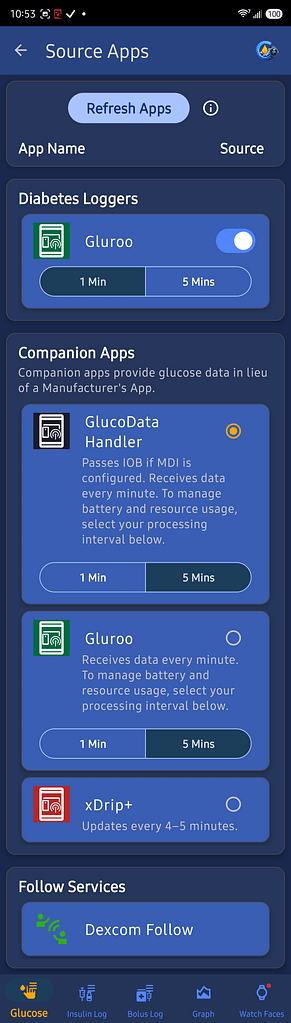
Supported companion apps include:
- GlucoDataHandler
- Gluroo
- Juggluco
- xDrip+
To use a companion app as the GlucoGlance data source, a supported manufacturer CGM app must not be installed on that device.
After removing the manufacturer app, reopen GlucoGlance and select the companion app during onboarding or from Source Apps.
The companion app must also be configured to send glucose data to GlucoGlance.
Select your companion app for specific setup instructions:
Example
A Dexcom G7 sensor is paired with a Dexcom G7 app installed on Phone A.
Phone B receives the same user’s readings through xDrip+ Sync Follower.
If the Dexcom G7 app remains installed on Phone B, GlucoGlance will give the G7 app priority and will not show xDrip+ or Glucose Data Handler as selectable sources.
To use xDrip+ or Glucose Data Handler on Phone B, the Dexcom G7 app must be removed from Phone B.
Removing the G7 app from Phone B does not affect the sensor connection on Phone A.
Follow Apps
Follow apps are used when GlucoGlance is displaying glucose data for an authorized remote user.
Supported follow sources may include:
- Dexcom Follow
- LibreLinkUp
- Other supported follow services
Follow users are configured separately from the primary glucose source used for the device owner.
Changing the Source App
Changing the source application may require GlucoGlance to detect the installed applications again.
After installing or removing a glucose application:
- Open GlucoGlance.
- Go to the Source App settings.
- Refresh the detected applications if necessary.
- Select the available source.
- Confirm that current glucose readings are being received.
Troubleshooting
If the expected source app is not shown:
- Confirm whether a manufacturer CGM app is still installed.
- Confirm that the desired app is supported by GlucoGlance.
- Confirm that the desired companion app is configured to send its data.
- Refresh the detected source applications.
- Create a GlucoGlance Diagnostic Report while the problem is occurring.
For additional assistance, contact: